

Новое поступление

Диагностический сканер Elm327 V1.5 BT/WIFI OBD2 автомобильный диагностический OBD 2 Elm 327
435,02 - 543,78 руб.

Thinkcar Thinkscan Plus S5 OBD2 автомобильный сканер профессиональные диагностические
12 425,28 руб.

PIC18F25K80 ELM327 wifi V1.5 OBD2 Scanner OBD Elm 327 Bluetooth Auto Diagnostic Tool OBDII for Android/IOS/Windows | Автомобили и
518,14 - 531,35 руб.

Автомобильный диагностический сканер Vgate vLinker BM + ELM327 V2.2 Bluetooth 4 0 wifi для BMW OBD 2 OBD2 ELM
2 238,80 - 2 728,98 руб.

Автомобильный диагностический сканер Vgate iCar Pro Bluetooth 4 0/3 0/Wi-Fi | Автомобили и
2 297,12 руб.

Оригинальный 434 МГц 315 4 кнопки смарт-пульт дистанционного управления
4 272,53 руб.

2018 New Arrival Super Mini ELM327 Bluetooth OBD2 Diagnostic Tool ELM 327 V2.1 Free Shipping | Автомобили и мотоциклы
249,36 - 356,56 руб.

VK Automative
Магазина VK Automative работает с 31.05.2016. его рейтинг составлет 86.1 баллов из 100. В избранное добавили 640 покупателя. Средний рейтинг торваров продавца 4.5 в продаже представленно 584 наименований товаров, успешно доставлено 825 заказов. 187 покупателей оставили отзывы о продавце.
Характеристики
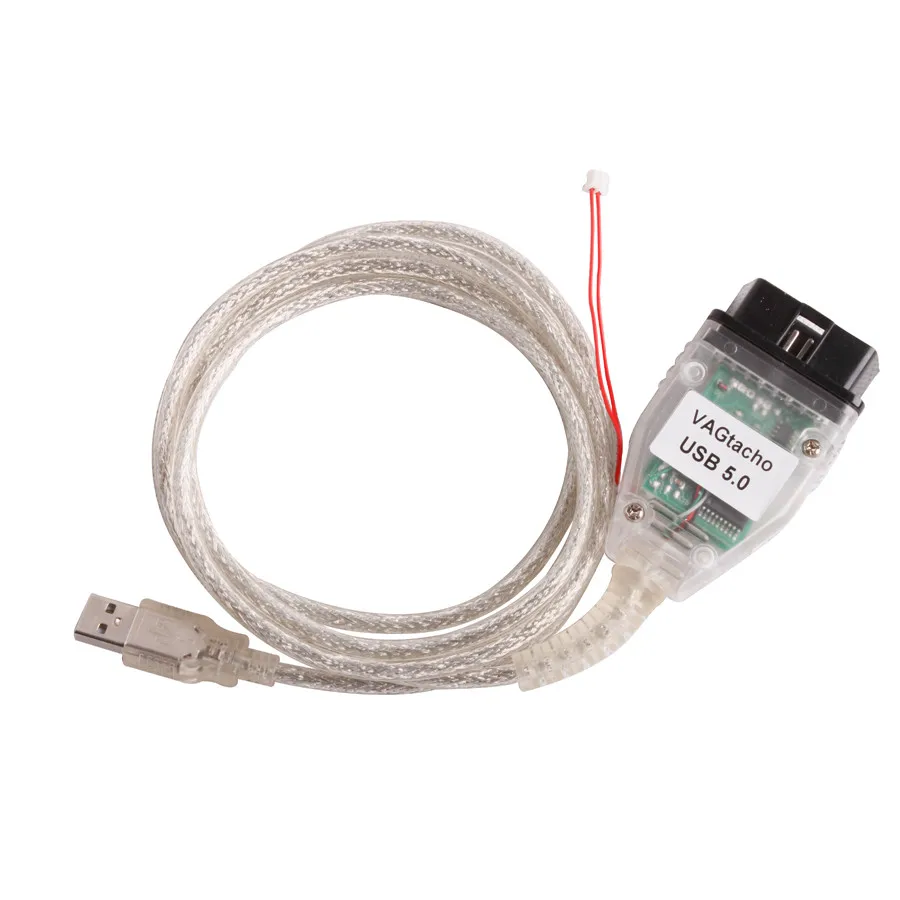
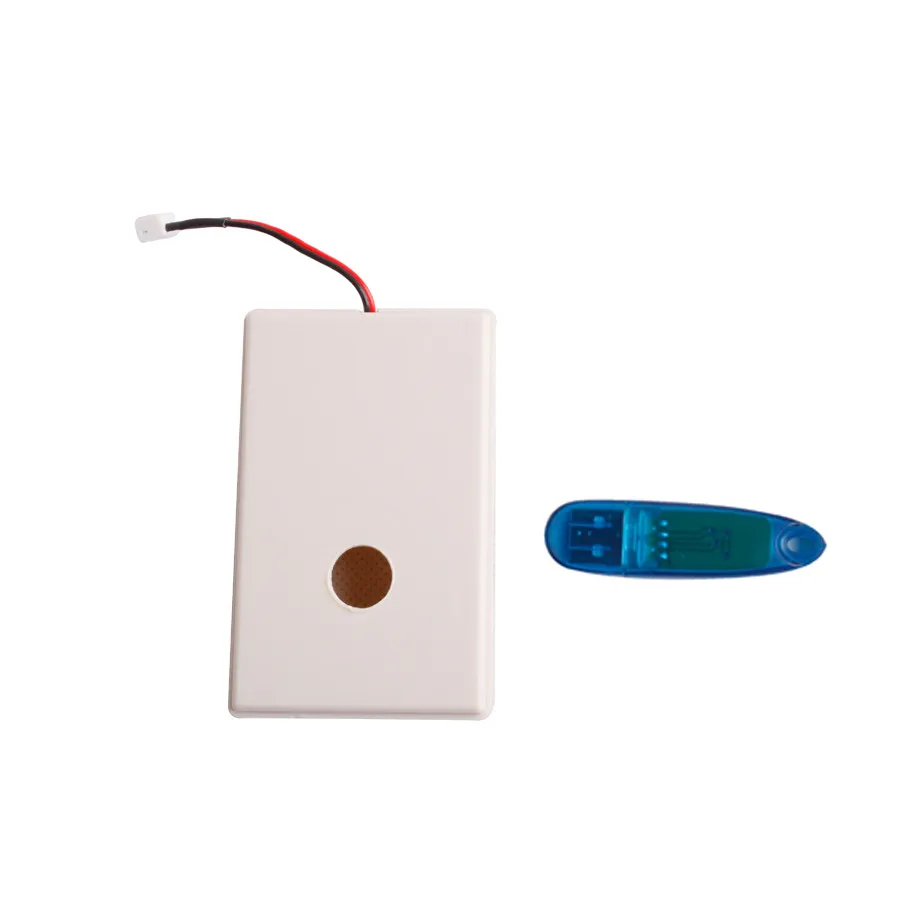
Best Price VAG Tacho USB Version 5.0 with Software Dongle Support VDO 24C32 or 24C64 Immo Box Eeprom Programmer | Автомобили и
История изменения цены
*Текущая стоимость 2 954,26 - 3 397,82 уже могла изменится. Что бы узнать актуальную цену и проверить наличие товара, нажмите "Добавить в корзину"
| Месяц | Минимальная цена | Макс. стоимость | Цена |
|---|---|---|---|
| Apr-16-2026 | 3515.44 руб. | 3691.2 руб. | 3603 руб. |
| Mar-16-2026 | 3486.77 руб. | 3660.98 руб. | 3573 руб. |
| Feb-16-2026 | 2924.14 руб. | 3070.79 руб. | 2997 руб. |
| Jan-16-2026 | 3427.5 руб. | 3598.35 руб. | 3512.5 руб. |
| Dec-16-2025 | 2984.45 руб. | 3133.39 руб. | 3058.5 руб. |
| Nov-16-2025 | 3368.12 руб. | 3536.91 руб. | 3452 руб. |
| Oct-16-2025 | 3338.99 руб. | 3505.24 руб. | 3421.5 руб. |
| Sep-16-2025 | 3308.45 руб. | 3473.87 руб. | 3390.5 руб. |
| Aug-16-2025 | 3279.86 руб. | 3443.87 руб. | 3361 руб. |
Описание товара


VAG Tacho USB Version V 5.0
Lastest version 5.0, support VDO with 24C32 or 24C64,our vagtacho usb version 5.0 includes the functions of vagtacho usb 4.52 , vagtacho usb 4.0, and vagtacho usb 3.5
VAG Kombiinstrument / Immo box eeprom programmer!
Win 7, Vista, Win XP, Win 98 compatible software!
Support for some VDO dashes for VW from year 2009-2011 with NEC mcu and 24C32 or 24C64 eeprom memory. Important: These dashes requires ignition to be switched on with valid key of the car! Software version 5.0 works ONLY with interfaces which has got built-in programmer for Megamos ID48 transponders!
Built-in programmer for Megamos ID48 transponders! Pre-programming of TP2x transponders as dealer's keys with component security data which is read from immobiliser!
NEW key programming feature for VAG cars with VDO dashes on CAN bus! (TP2 and UDS protocols)
Note: TP22,23,24,25 transponders are required!
List of supported VAG cars:
Volk-swa-gen
G-olf 6, Je-tta, P-olo, EOS with VDO dash 2009 - 2011, note: not all dashes are supported!
Ca-ddy, Touran, Je-tta, EOS with VDO dash 2003 - June.2006
Golf 4, Bo-ra with VDO or Mo-tometer/Bo-sch dash: 1997-2003
Be-etle with Ma-relli dash: 1998 - 2005
Pas-sat, Jetta, with VDO, Mar-elli or Motom-eter dash: 1997-2004
P-olo with VDO or Moto-meter dash: 1999-2006 (1999-2002 mileage change only)
Sha-ran with VDO dash: 2000-2004(mileage change only)
Ca-ddy, Lupo with VDO or Moto-meter dash 1997 - 2002(mileage change only)
Transporter with VDO dash 1998 - 2000
LT35 ( Temic immo box) 1999-2003 (pin code read only)
Gol ( Kostal immo box) 1999-2003 (pin code read only)
Se-at
Alte-a, Leon, Toledo with VDO 2003 - 6/2006
Le-on, Toledo, Cor-doba, Ib-iza with VDO or Motometer dash 1997-2003
Alha-mbra with VDO 2000 - 2004(mileage change only)
Inca with VDO or Mot-ometer 1997 -2000(mileage change only)
Sk-oda
Octa-via II with VDO dash 2005 - 6/2006
Octa-via, Fa-bia with VDO dash 1997 - 2004
A-udi
A3 VDO dash 2003 - 2005
A3,A4,A6 VDO dash 1997 - 2000
A3,TT,A6 Ma-gnetti Marelli dash 1998 - 2003
A4 Bo-sch dash 2000 - 2008 - Read/write of encrypted data with V4.5!
A4,A6,A8 1995-1999 (immo box - read pin code)
Vag tacho usb version 4.52
Vagtcho 4.52 is upgraded from vag tacho usb4.0, Upgrade Vagtacho usb 4.0 interface with Programmer for Megamos ID48 chips, our vagtacho version 5.0 has upgraded directly ,includes the functions for vagtacho usb 4.52
The benefits with this upgrade are:
Your Vagtacho interface will works with software vesrion 5.0 for the new VDO dashes with UDS protocol from year 2009+
Programming of new keys to VAG cars which are into FAZIT database.
Works with cars which has got locked key programming channel, or pin code is not accepted.
No need to wait up to 30 minutes for the key programming procedure.
With this upgrade, Vagtacho can program the new key in one minute
.
Vagtacho version 4.0
VAG Kombiinstrument / Immo box eeprom programmer!
Win 7, Vista, Win XP, Win 98 compatible software!
Works on any computer which has got USB port!
Most of VAG dashes from 1997 to 2006 are supported!
Direct programming of Meg-amos ID48 (JMA-TP08) chips to VAG cars on CAN bus from November 2003 to June 2006
Transponder Maker Pro is required for pre-programming of these chips.
Note: TP22,23,24,25 transponders are NOT required!
1.Main functions:
Read ecu info
Read pin code
Change mileage
Read eeprom
Programmer new key
Write eeprom
Clear ecu errors
Viem memory buffer
2.List of supported VAG cars:
Vol-kswa-gen
Cad-dy, To-ran, Je-tta, EOS with VDO dash 2003 - June.2006
Golf 4, Bora with VDO or Motom-eter/Bo-sch dash: 1997-2003
Be-etle with Mar-elli dash: 1998 - 2005
Pas-sat, Je-tta, with VDO, Mar-elli or Moto-meter dash: 1997-2004
Polo with VDO or Motom-eter dash: 1999-2006 (1999-2002 mileage change only)
Sh-aran with VDO dash: 2000-2004(mileage change only)
Ca-ddy, Lupo with VDO or Moto-meter dash 1997 - 2002(mileage change only)
Tra-nsporter with VDO dash 1998 - 2000
LT35 ( Temic immo box) 1999-2003 (pin code read only)
Gol ( Kostal immo box) 1999-2003 (pin code read only)
S-eat
Alt-ea, Leon, Tol-edo with VDO 2003 - 6/2006
Le-on, Tole-do, Cord-oba, Ibi-za with VDO or Moto-meter dash 1997-2003
Alham-brawith VDO 2000 - 2004(mileage change only)
In-ca with VDO or Moto-meter 1997 -2000(mileage change only)
Sk-oda
Octavia II with VDO dash 2005 - 6/2006
Octavia, Fabia with VDO dash 1997 - 2004
A-udi
A3 VDO dash 2003 - 2005
A3,A4,A6 VDO dash 1997 - 2000
A3,TT,A6 Mag-netti Mar-elli dash 1998 - 2003
A4 Bos-ch dash 2000 - 2005
A4,A6,A8 1995-1999 (immo box - read pin code)
3. How to programmer keys with vagtacho usb 4.0
Switch ON ignition with any key new or old, no mater which one.
Start software, select "VDO NEW - CAN bus" from menu.
Press "Connect Selected ECU" button, after 5 seconds the data of the dash will be shown on screen.
Press "Program New Key", software will read data from the dash and after few seconds a new window will be open.
See the picture. ID numbers of the transponders which are stored into memory will be shown.

This is TMPro module#146 window. Insert transponder key with new Megamos ID48 chip and program it.
Press "Add Key" and a message will be shown. Switch ON ignition with key which you want to program! The key may be new - already programmed with TM Pro, or old - key which has been used with the same car! Vagtacho will check the key. If this key is already programmed to the car, or it is from another car, Vagtacho will show warning message on screen and won't program this key!

If everything is ok, Vagtacho will add the new key into the data of immobilizer and will show ID number of new key on screen. See the red mark on the picture. Now you are ready to program the new transponder key into the immobilizer. Press "Write Keys" to complete programming procedure !

Press "Write Keys" and the warning window will be open. If you are sure that everything is all right, press"Continue", otherwise press "Cancel". If you press "Cancel" nothing will happens, and the data won't be written into immobiliser. After pressing "Continue" Vagtacho will writes the data into immobiliser after few seconds. The dash will be reset, and the programming procedure will be completed!
This is the last step, after this the new data will be written into immobiliser! If you have marked and erased some keys, they will NOT works anymore!

Press "Write Keys" and the warning window will be open. If you are sure that everything is all right, press"Continue", otherwise press "Cancel". If you press "Cancel" nothing will happens, and the data won't be written into immobiliser. After pressing "Continue" Vagtacho will writes the data into immobiliser after few seconds. The dash will be reset, and the programming procedure will be completed!
This is the last step, after this the new data will be written into immobiliser! If you have marked and erased some keys, they will NOT works anymore!
This picture shows the final Vagtacho window. If you have switched ON ignition with key which is already programmed by TMPro, the warning lamp of immobiliser on the dash will be turned off. The new key is already stored into immobiliser and you can start engine!
If the immobiliser's warning lamp on the dash is still flashing, there is some error in programming procedure, you can check the transponder key - see how to do this on the next picture!

Switch ON ignition with the key which you want to test! Start software, select "VDO NEW - CAN bus" from menu, and press"Transponder Check". Vagtacho will connects immobiliser. Press "Read ECU Info" button, and wait about 10 seconds. The information about this transponder key will be displayed on screen, see the next picture. You can press "Read ECU Info" to testing of transponder key again. This procedure is optional, and is not required when programming the new keys.

Switch ON ignition with the key which you want to test! Start software, select "VDO NEW - CAN bus" from menu, and press"Transponder Check". Vagtacho will connects immobiliser. Press "Read ECU Info" button, and wait about 10 seconds. The information about this transponder key will be displayed on screen, see the next picture. You can press "Read ECU Info" to testing of transponder key again. This procedure is optional, and is not required when programming the new keys
Transponder variable part and transponder locked must be "YES", otherwise there are errors in programming of the new key with TMPro!
Transponder fixed part must be "YES" otherwise the key is still not programmed into immobiliser, or Vagtacho programming procedure is not completed successfully. In case of such error, repeat whole programming procedure again with another new transponder! All parameters must be set "YES"!


We will be online :
8:30 a.m to 9 :00 p.m GMT+8 (Mon~Saturday)


Смотрите так же другие товары: